Reg Organizer 9.92: Improving Software Removal Efficiency
2026-04-15 by Chemtable Software
We are announcing the release of a new version of the Reg Organizer utility, version 9.92, designed for deep system cleaning, startup management, and software removal. This release focuses on improving the reliability of forced software uninstallation, as well as expanding capabilities for working with locked registry entries in the Windows 11 operating system. The primary goal of the changes introduced is to ensure complete removal of problematic software without the need for manual intervention in system processes.
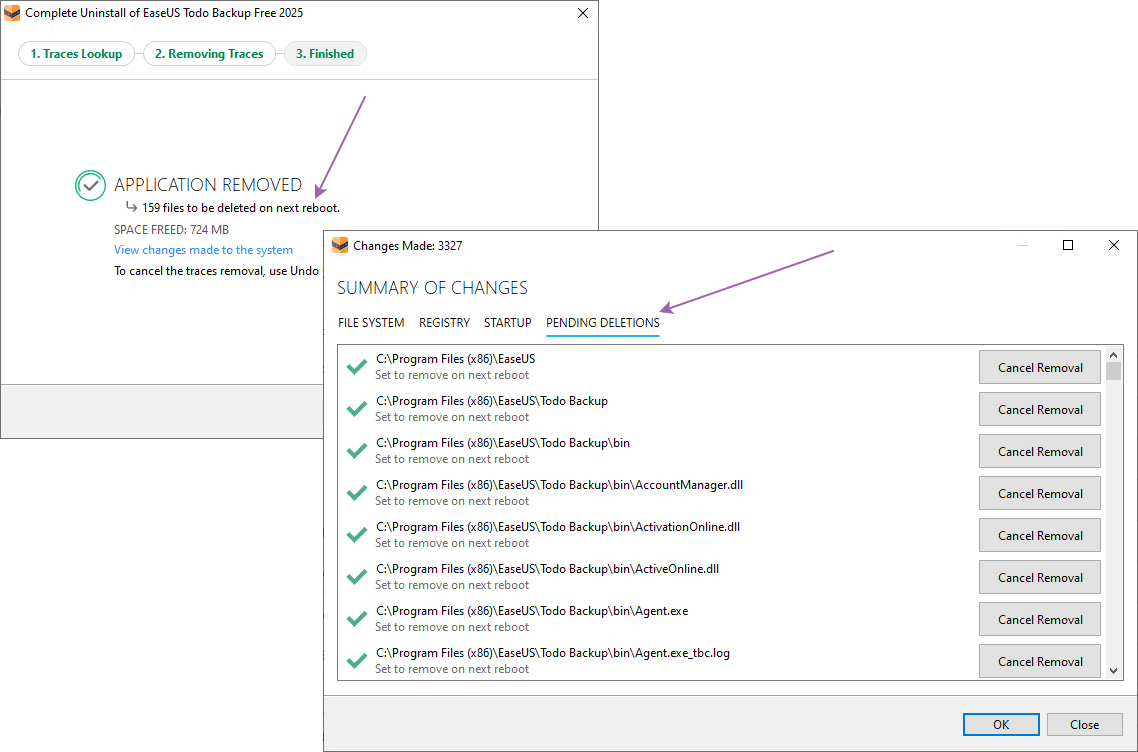
First of all, attention should be given to the significant improvement of the forced software removal mechanism. Previously, when attempting to uninstall an application whose built-in uninstaller was damaged or refused to launch, the user often encountered the process being blocked by active files, services, or executable modules of the program being removed. Starting with version 9.92, Reg Organizer implements automatic termination of processes and stopping of services that prevent the uninstallation from completing correctly. This allows the system to proceed with the removal even in cases where the standard uninstaller cannot be initiated or freezes during the cleanup stage.
In situations where individual files remain locked after all active processes have been terminated, the utility offers the user the option to postpone their removal until the next system reboot.
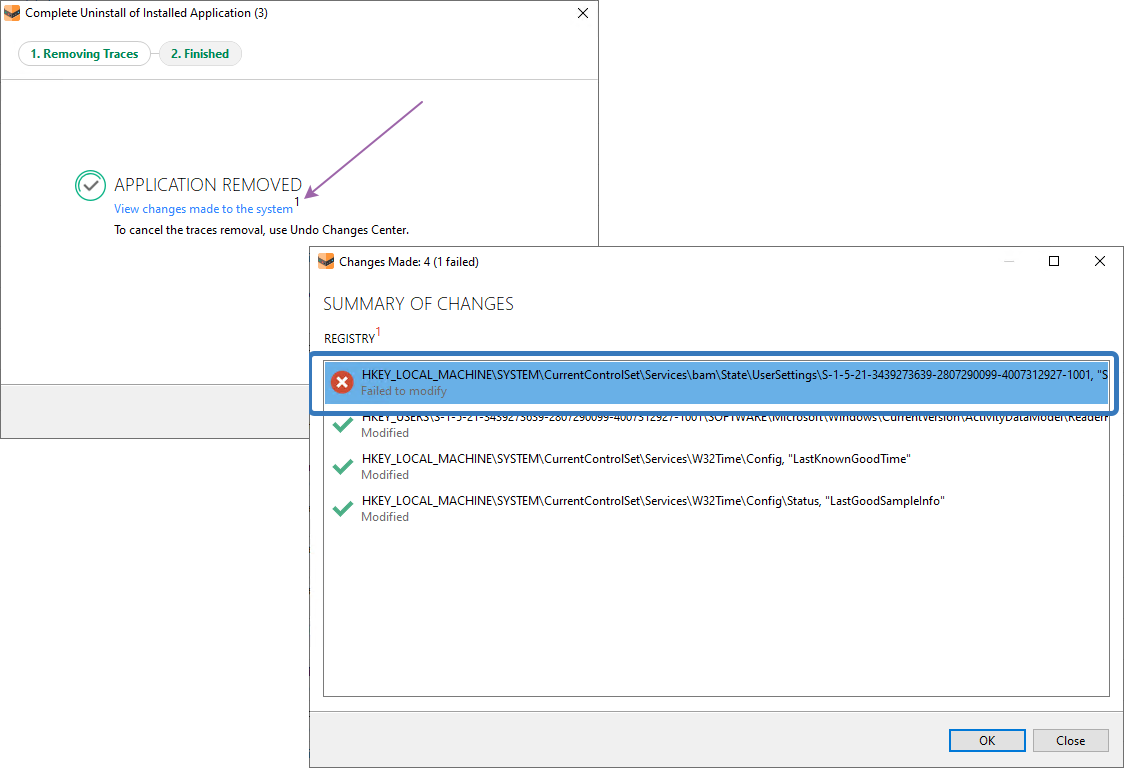
Additionally, for Windows 11 users, version 9.92 improves the cleaning of locked registry keys that cannot be removed by standard means. The utility now applies advanced methods of accessing the system registry, allowing it to bypass restrictions set at the operating system security level. This change is particularly relevant for removing traces of previously uninstalled programs that left behind “non-removable” entries.
The second significant improvement is the optimization of the software removal tool in terms of filtering system components. Servicing components of Microsoft Office updates are now automatically moved to a special subsection called “System and Servicing”. This decision has been made so that the main list of installed software remains compact and contains only those applications that the user consciously installed. Office update components, as a rule, do not require manual management and only clutter the interface, making navigation difficult. Separating these entries into a servicing category allows one to focus on truly important applications without the risk of accidentally removing system elements.
Separate attention deserves the improvement of the Registry Editor built into Reg Organizer. In version 9.92, the function for removing locked registry entries in Windows 11 has been expanded. The user can now delete keys and values that are inaccessible to the standard registry editor (regedit).
You can download the new version from the official website or through the automatic update of the Reg Organizer utility itself.
